Contributing to WordPress Core AI: Necessary Pre-Requirements and Workflow for New Developers
WordCamp Asia 2026 in Mumbai just wrapped up, and honestly, my head is still spinning. Between the Vada Pav breaks and the intense sessions at the Jio World Convention Centre, one thing became crystal clear: AI is becoming part of the WordPress Core. I spent my time scribbling notes and testing setups so I could share this with you. If you want to move from just 'using' WordPress to actually helping build its AI future, follow these 6 steps I've laid out.
1. Pre-request
Before starting, you need a clean environment. Don't use a live site!
2. Installation
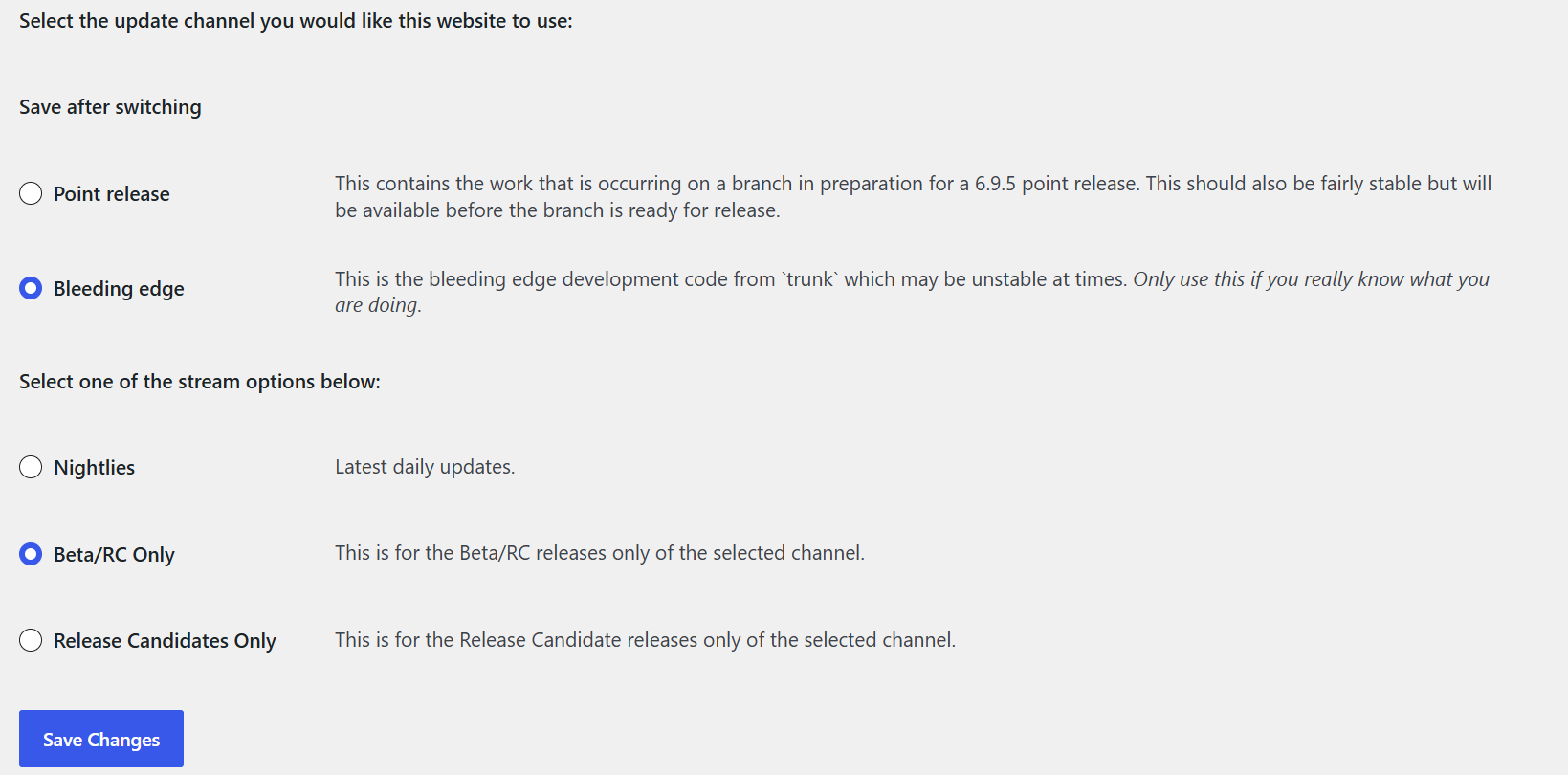
This is where we get the 'Bleeding Edge' version of WordPress running.

3. Connectors AI
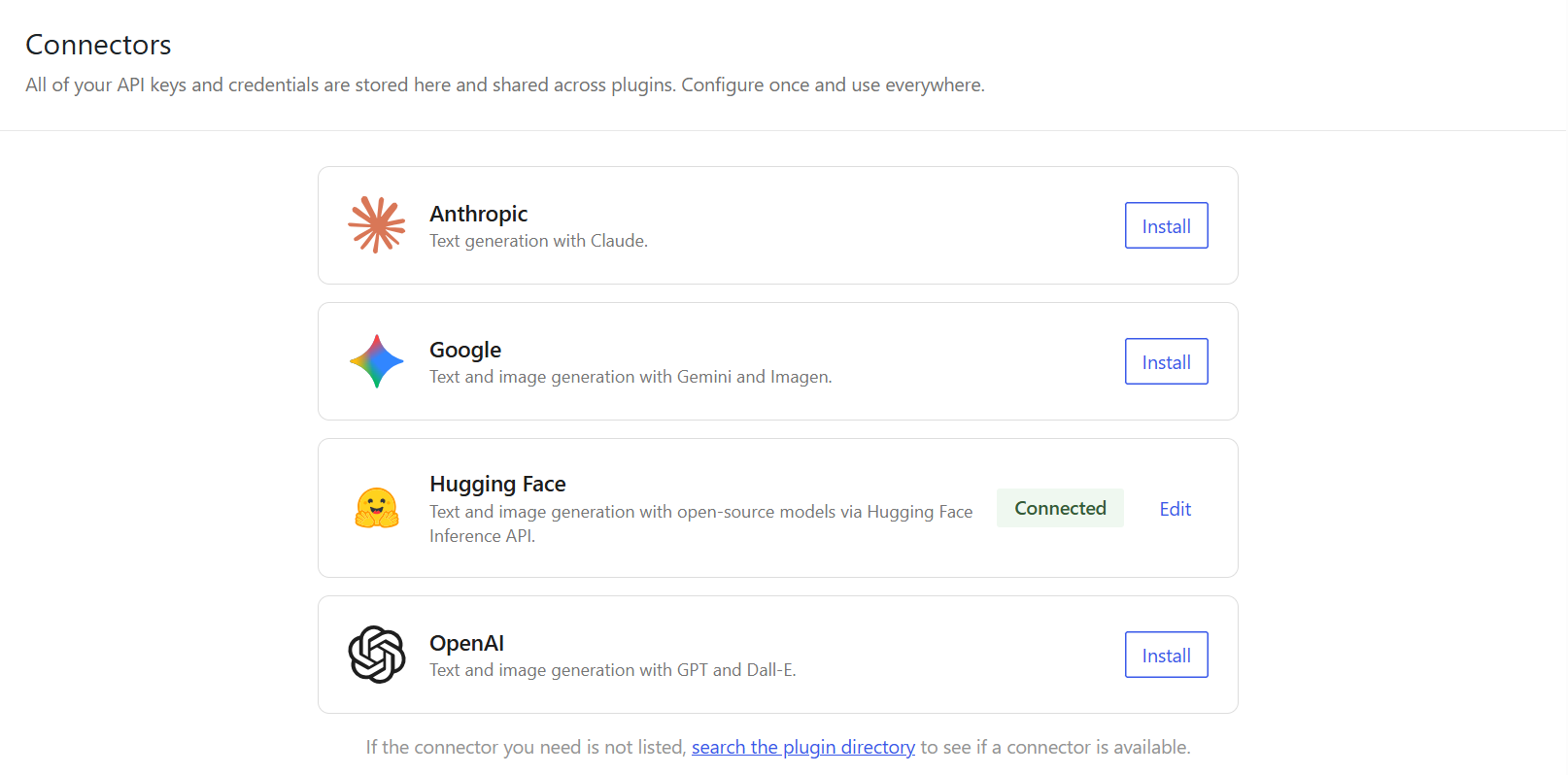
Once activated, go to the AI settings. Use the MCP Connector to link your site to an AI provider. This is the 'handshake' that allows WordPress to process AI requests safely.
To bring your AI to life, you need to bridge your local WordPress setup with an LLM provider. Since we are using Hugging Face for this guide, here is how you get your credentials:
Generating your Hugging Face API Key
The MCP Advantage:
You can easily use an API key from major providers like OpenAI, Gemini, Anthropic, etc. Plug your key into the MCP Connector, which allows you to seamlessly bridge WordPress with over 850+ major platforms and tools through a single, unified interface.
4. Abilities Enable
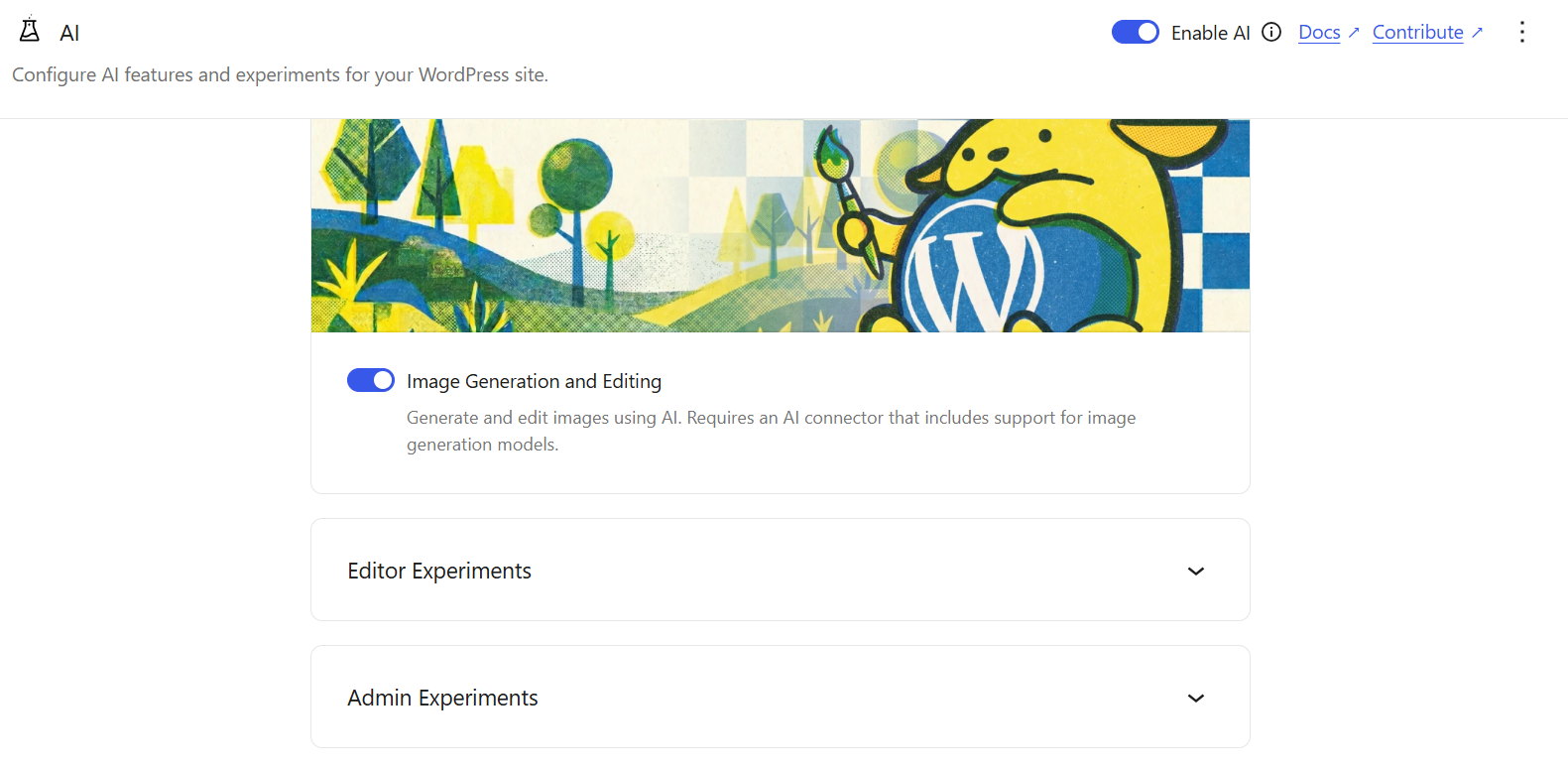
Under the AI settings, you'll see 'Abilities.' These are specific AI features. Toggle them on one by one to see how they work within the block editor.
5. Post / Pages Testing
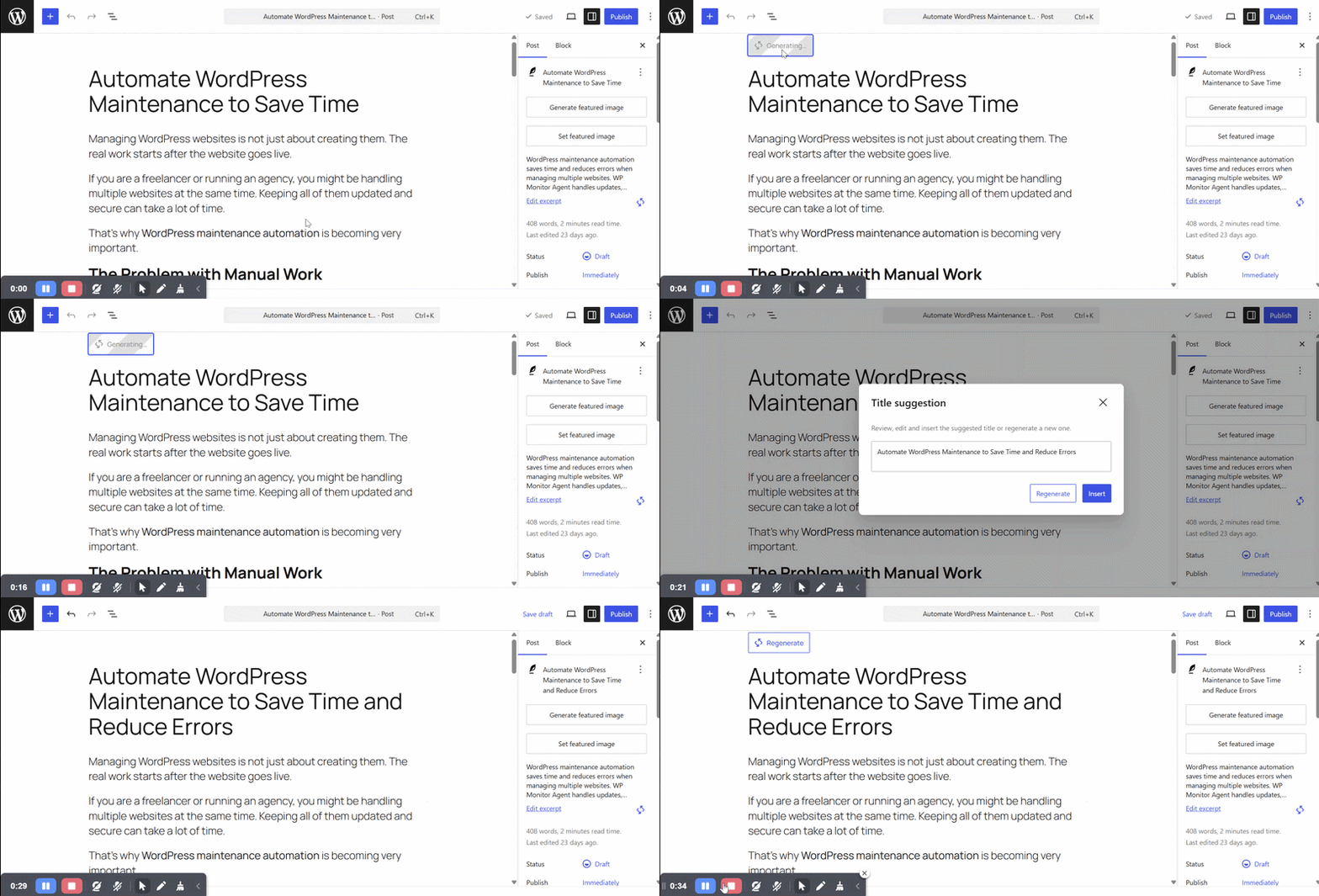
Now, open a new post or page. Test each feature—like AI content generation or smart summaries—to see if they behave as expected. This is where you'll find the bugs that need reporting!
6. How to Report Issues (Read the Guidelines)
If you find a bug, don't just post it immediately. Read the contribution guidelines on GitHub first. A good report includes steps to reproduce the bug and screenshots.
Check out my own raised issues here to see how to format yours: Link to My GitHub Issues. Let's help make WordPress 7.0 amazing together!
Final Thoughts
Contributing to Core AI is the best way to ensure WordPress stays relevant in 2026. It might feel intimidating at first, but the community is here to help. If you run into issues with your setup or have questions about the Abilities API, drop an email below or find me in the #core-ai Slack channel.
Enjoyed reading this?
I love discussing WordPress, AI automation, and web development. If you have a project in mind or just want to chat, let's connect!
Want to dive deeper?
Book a Strategy Call